Introduction
In recent years, many industries have started adopting AI image generation, driving greater operational efficiency and enabling new forms of value creation. Advances in AI-powered image generation have been rapid, and among the tools attracting significant attention, Stable Diffusion has steadily grown in popularity with both designers and everyday users.
Stable Diffusion is an AI image generation model that can automatically create high-quality images from text prompts. It leverages a technique called a latent diffusion model, which generates images by starting from noise—making it possible to produce entirely new visuals from scratch.
At the same time, because Stable Diffusion performs advanced image processing, many teams considering adoption may wonder how to use it and what applications or tools are available for practical implementation.
In this article, we’ll explain how to generate images with Stable Diffusion and walk through the key features of three major applications that provide Stable Diffusion capabilities.
What Is Stable Diffusion?
Stable Diffusion is an AI model developed by Stability AI that generates high-quality images based on the text a user inputs, using a vast amount of image data the AI has learned from. One of its key characteristics is that it uses an algorithm called a latent diffusion model.
Because users interact with systems that include this pre-trained latent diffusion model, they can create a wide variety of images simply by typing text prompts—without writing program code in environments like Google Colaboratory.
For example, if you enter a prompt such as “a seaside landscape at sunset,” the AI will generate an image that matches that concept. By describing the image you want in text, Stable Diffusion can produce a result that’s close to your expectations in a short amount of time.
In the process, the generative AI uses the large volume of images it has previously learned from to infer and fill in shapes, colors, and details—making it possible to produce natural-looking images in real time. As a result, Stable Diffusion is well-suited for image generation where accuracy and image quality matter, and it can help you generate visuals that closely match your intended idea.
The Latest Version of Stable Diffusion
Stable Diffusion continues to evolve rapidly, with new versions being released over time. The latest model is Stable Diffusion 3.5, an improved version of SD3 released in October 2024, designed to achieve both high customizability and strong generation quality.
Stable Diffusion 3.5 combines flexibility with ease of use. It not only allows you to fine-tune the model relatively easily to fit specific needs, but also makes it possible to build applications based on customized workflows.
One of the biggest highlights of Stable Diffusion 3.5 is its adoption of a completely new architecture called the Multimodal Diffusion Transformer (MMDiT). This architecture is designed to handle two modalities: text and images.
More specifically, it uses two Transformers in parallel—one for images and one for text—while sharing common information in the attention layers. For processing the input text, it combines the encoded outputs produced by three models: CLIP-G/14, CLIP-L/14, and T5 XXL. As a result, Stable Diffusion 3.5 delivers performance that surpasses other mid-sized models, with an excellent balance between prompt fidelity (how well it follows the prompt) and image quality.
Differences vs. Other AI Image Generators
| Category | Stable Diffusion (v3.5) | Midjourney (V6+) | DALL·E 3 |
| Model | Stable Diffusion (v3.5) | Midjourney (V6+) | DALL·E 3 |
| Developer | Stability AI | Midjourney, Inc. | OpenAI |
| Generation accuracy | • Varies depending on the user’s prompt
• Highly customizable • Capable of producing a clear, consistent style and high quality (depending on settings/models) |
• Interprets prompts with high accuracy | • Interprets prompt instructions with high accuracy |
| Image quality | • Generates high-quality images
• Can reduce noise to sharpen details and improve overall clarity • Recommended if you prioritize crisp, high-definition output |
• Produces high-quality images
• High-resolution output available through added features • Offers a wide range of artistic filters/effects to enhance creativity and style |
• Produces high-quality images
• Generates highly detailed, prompt-faithful images • Can express realistic textures and shapes |
| Underlying model / architecture | Latent Diffusion Models (MMDiT) | Proprietary deep learning technology | Diffusion model + integration with OpenAI GPT-4 |
| Pricing | • Free plan (open source) | • Monthly plans
Basic: $10/month Standard: ~$30/month Pro: $60/month Mega: $120/month |
• Paid token-based model (for ChatGPT Plus)
• Hourly usage limits may apply Plus: $20 Team: $25 (billed annually) / $30 (billed monthly) Enterprise: Contact sales |
| Best suited for | • Photorealistic images
• Easy customization (with the right setup) |
• Abstract and fantasy art
• Unique style generation • Concept art and narrative illustrations |
• Everyday scenes
• Character generation • Accurate understanding of complex prompts |
| Customizability / usability | • Extremely high
• Open-source fine-tuning options • Many extensions/plugins available • Setup can be somewhat difficult |
• Low
• Limited to parameter tuning within Discord |
• Intuitive and simple
• Moderate • Easy to integrate with other OpenAI products |
| Where it runs | Local environment / API | Discord only | Web-based (integrated into ChatGPT) |
| Typical use cases | • When you want high-quality, realistic images
• Suitable for programming-oriented workflows |
• High-quality artistic expression
• Fantasy-style visuals, beautiful composition and color • Intuitive operation |
Two Ways to Use Stable Diffusion
Stable Diffusion is a powerful AI model for generating images from text using latent diffusion. Broadly, there are two main ways to use it. Because it is open source, you can either run it in a web-based environment or set it up and run it locally on your own machine.
That said, depending on the service you use, pricing can vary. DreamStudio, for example, is generally a paid service and requires credits to generate images. You may receive some initial credits after logging in, but you’ll typically need to purchase additional credits after that.
One major advantage of using Stable Diffusion via the web is that there’s no need to install software or build a complex environment. As long as you have an internet connection and a web browser, you can start generating images right away from anywhere.
Using DreamStudio (Web Version)
1. Access the DreamStudio website
Go to the DreamStudio website (e.g., https://beta.dreamstudio.ai/).
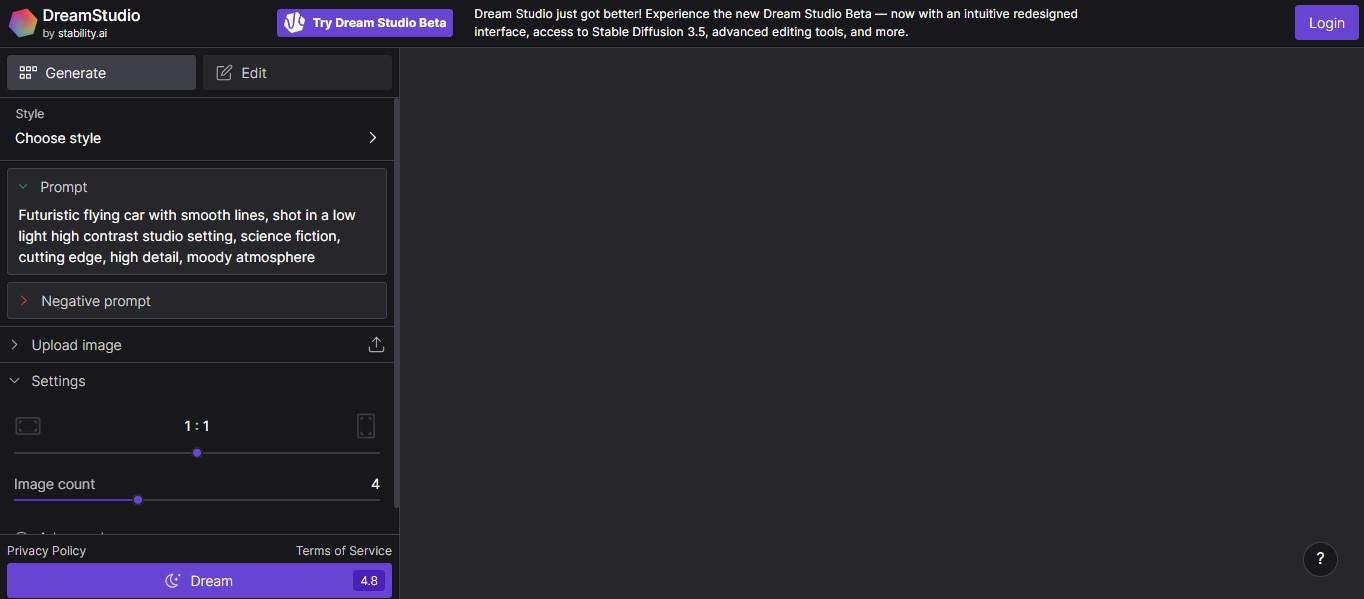
2. Log in / create an account
Log in using your Google account. You can easily create an account using a Google account, an email address, or other supported methods.
On the home screen, click “Login” in the top-right corner.
To use DreamStudio, you’ll need to create an account. Register with a Google account, Discord account, or email address. In this example, we’ll use a Google account, so click “Continue with Google.”
3. Choose an image style
Select the style of the image you want to generate.
You can think of “style” as the overall look and artistic touch. Here, we’ll select “Pixel art.”
4. Enter a prompt
Type the prompt for the image you want to generate in DreamStudio.
In this example, we’ll use: “Lion meditating alone (a lion meditating by itself)”.
5. Generate the image
Click “Generate” to run the prompt.
After running the prompt, multiple lion images in different designs are generated.
6. Use a negative prompt (optional)
A negative prompt is a set of instructions that tells the model what you do not want included in the image. In this example, we add “lion’s tail” and also input:
- worst quality
- low quality
- normal quality
- out of focus
Adding both a prompt and a negative prompt can help improve output quality. As shown above, DreamStudio lets you start generating images immediately—without any installation or complex setup—using only a browser and an internet connection.
Using Stable Diffusion Online (Prompt-Based Web Tool)
Stable Diffusion Online allows you to generate images for free in many cases. It’s a good option if you want to quickly test the overall look and feel before committing to a more advanced setup.
1. Select a style
Choose the style you want to apply.
2. Enter your prompt
Describe the image you want to generate and enter it into the text box.
Stable Diffusion Online lets you specify the content and style via prompts. However, it typically enforces input rules—such as limiting usable characters to English letters, numbers, and half-width symbols.
Prompts generally must be:
- At least 3 characters and up to 500 characters
- A list of terms separated by commas (,)
3. Choose a style after entering the prompt
After entering the prompt, select the image style. In this example, choose “None”, then click “Generate.”
4. Wait for generation to complete
After you run the prompt and wait a moment, an oil art–style image of a large group of flamingos running is generated.
Compared to other services, Stable Diffusion Online focuses on simpler, beginner-friendly functionality. While it does not offer advanced extensions or detailed settings, it makes it easy for beginners to start generating images quickly.
Stable Diffusion Online is generally free to use, but if you generate more than a certain number of images, you may hit usage limits and need to switch to a paid plan.
Three Web Applications That Offer Stable Diffusion
Because Stable Diffusion is an open-source AI image generation model, many companies and communities have built services and platforms on top of it.
Below are three representative web applications that let you use Stable Diffusion easily from your browser.
1. Hugging Face
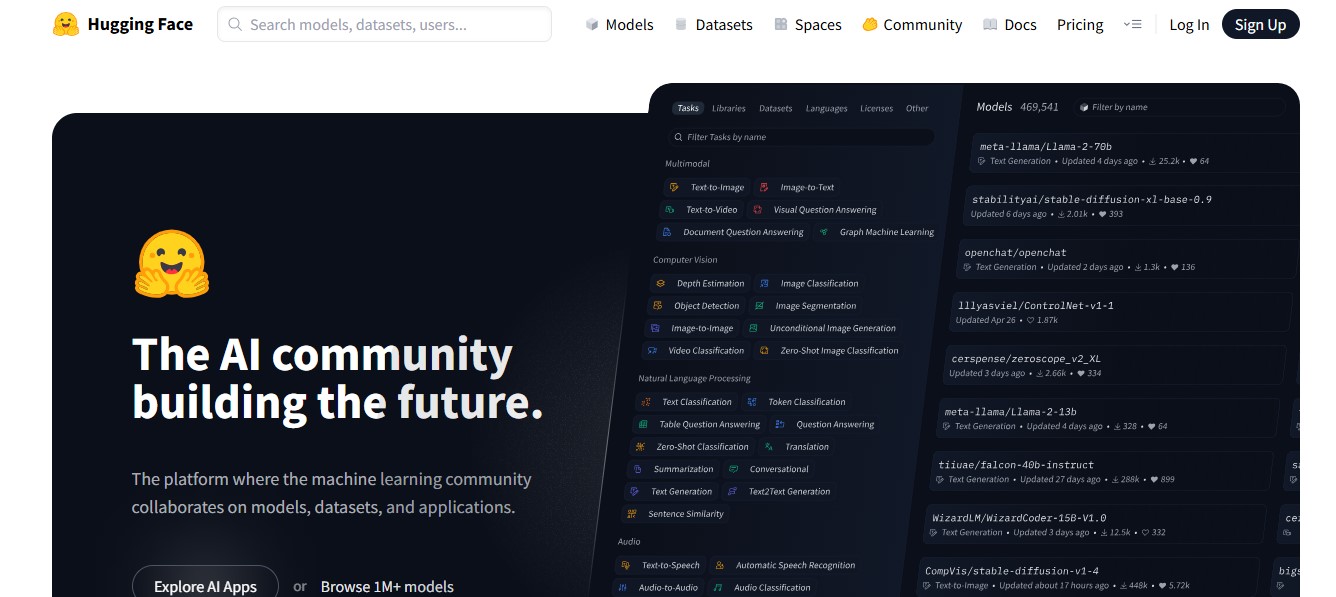
Hugging Face is a platform and open-source community founded in the United States in 2016 by Hugging Face, originally as a company focused on building chatbots. Today, it is widely known as an open ecosystem where people can share and use datasets and AI models (especially in natural language processing) and publish a broad range of machine learning tools.
A key feature is collaboration across models, datasets, and applications. Users can publish their work to the platform and collaborate across projects. Its drag-and-drop style interfaces and tooling make it easier for developers to build and experiment with models quickly.
In particular, the Datasets library on Hugging Face makes it easy to download, preprocess, and manage many public datasets in standardized formats. Developers can quickly access pre-trained models for tasks such as text classification, question answering, and sentiment analysis.
This significantly reduces the effort required for data preparation and helps accelerate research and development. Starting from the free plan, you can also refine your results by adding more detailed instructions to your prompts to get closer to the image you want.
2. DreamStudio
DreamStudio is an official web site operated by Stability AI (the company behind Stable Diffusion). Launched in 2022, it lets users try Stable Diffusion online and generate images by entering text prompts.
By including specific keywords in your prompt, you can control the overall mood and details of the generated image. In many cases, Japanese prompts may be harder for the system to interpret, but you can still adjust parameters to control factors like brightness, saturation, and contrast.
DreamStudio also offers various preset styles—such as anime and fantasy art—so you can quickly generate diverse outputs by selecting a style that fits your intended image. For example, if you enter something like:
“a futuristic cityscape with many skyscrapers, like a floating city,”
the tool will generate an image that matches those features.
With its simple UI, DreamStudio makes it easy to generate images by entering your prompt and negative prompt in order, which makes it a good option for beginners as well.
In addition, purchasing credits allows you to generate more images. The number of credits does not change by tier—regardless of the amount, you receive (payment amount × 100) credits.
When you register for the first time, you receive 25 free credits. Generating one image requires 0.23 credits. You can generate up to 10 images per prompt, and generating 10 images consumes 2.28 credits.
3. Mage.space
Mage.space is an AI image generation platform operated by Ollano. It allows you to generate images by entering English words or sentences as prompts. One notable feature is that you can generate images without creating an account, and you can generate images with no fixed limit.
With Mage.space, you can generate images simply by typing what you want in English. You don’t need perfect grammar—just listing English keywords separated by commas can also work.
Mage.space is available for free, and with paid upgrades you can access a wider variety of pre-trained models. It provides trial credits to get started, while more advanced features—such as faster processing and access to more powerful GPUs—are offered through premium plans.
Mage also supports importing custom models, enabling image generation specialized for certain styles or subjects. It includes built-in advanced tools, such as selecting the style that fits you best and using the Refine function to adjust fine details.
Because of these features, Mage can be used not only in creative industries but also across a wide range of fields such as marketing and other business use cases. It’s especially recommended for those who want to generate high-quality images efficiently or visualize unique ideas.
Tips for Writing Prompts in Stable Diffusion
In Stable Diffusion, a prompt refers to the sentence or set of keywords you enter to describe the theme and conditions the AI should follow when generating an image. More broadly, a prompt is the instruction a user provides when interacting with an AI tool—such as in a chat-style interface or a command-line (CLI) system.
Because the prompt has a major impact on the final output, learning how to write prompts effectively is one of the most important skills for getting consistent results with Stable Diffusion.
Tip 1: Pay attention to word order
In Stable Diffusion, words placed earlier in the prompt tend to have higher priority. Changing the order can change what the model emphasizes, which can also change the style and content of the generated image.
A common prompt structure is:
- Elements that affect the whole image (quality, style, etc.)
- Elements related to the subject (e.g., a person)
- Details like clothing and hairstyle
- Composition and framing
Following this order helps the model prioritize the key visual elements you want.
Tip 2: Separate keywords with commas
In Stable Diffusion, keywords are typically separated using commas ( , ) and half-width spaces. If you don’t separate keywords properly, some terms may not be reflected in the generated image—so it’s important to format your prompt clearly.
Also, the closer a keyword is to the beginning of the prompt, the more the AI tends to prioritize it. If you pack in too many unrelated keywords, the AI can become “confused” about what matters most, which may lead to unintended results. Focus only on the keywords that truly matter.
Tip 3: Keep the prompt under 75 tokens
When generating images with Stable Diffusion, it’s generally recommended to keep your prompt to 75 tokens or fewer. Stable Diffusion counts prompts in units called tokens.
Example:
masterpiece, 1
beautiful woman, casual dress
If you enter a prompt like the above, tokens are counted for each element such as “masterpiece”, “,”, “1”, “beautiful woman”, “,”, “casual”, and so on. Note that commas are also counted as tokens, so be careful.
The reason to stay under 75 tokens is that prompts become more complex to handle beyond that limit. Stable Diffusion processes prompts in chunks of 75 tokens. For longer prompts, the model receives instructions in groups like:
- Tokens 1–75
- Tokens 76–150
- Tokens 151–225
If a phrase spans the boundary between token 75 and 76, the timing of how the instructions are processed may differ—sometimes resulting in outputs that don’t match your intent. To avoid this, beginners are generally advised to keep prompts within 75 tokens.
Tip 4: Use negative prompts
A highly effective technique is using a negative prompt. A negative prompt is text that describes what you want to exclude from the generated image.
While a normal prompt specifies what you want to see, a negative prompt focuses on what should not appear. Using both together can improve accuracy and help you produce higher-quality results.
For example, model names such as “easynegative” and “ng_art” are often used as negative prompts. easynegative is especially helpful when you want to improve image quality and reduce issues like distorted anatomy, unnatural expressions, or awkward compositions.
Negative prompts can help remove common noise—such as unnatural hands and feet or blurry output—and improve overall image clarity. They can also prevent irrelevant background elements or unwanted objects from being added.
In this way, Stable Diffusion can generate high-quality images with more natural-looking fine details by effectively using negative prompts.
3 Business Use Cases of Stable Diffusion
Stable Diffusion is used in a wide range of scenarios by both individuals and companies. For example, it can be useful for promotional campaigns in the beverage industry or for creating original logo designs.
In practice, it has been applied across many fields—from product promotion to reducing labor costs and improving operational efficiency—spanning industries such as beverage manufacturing and real estate. Below are three examples of how Stable Diffusion can be used in business.
1. Asahi Breweries: Using AI Image Generation for Promotional Campaigns
Asahi Breweries is known as an early example of a beverage company that leveraged Stable Diffusion for promotion. As part of the marketing campaign for its new product, “Asahi Super Dry Dry Crystal,” Asahi launched an interactive experience called “Create Your DRY CRYSTAL ART,” powered by the AI image generation model Stable Diffusion.
A key feature of the service is that users can upload their own photo and enter text, and the AI then reconstructs the input as an art piece. Users can also specify styles such as “watercolor” or “anime,” enabling them to express a personal, unique aesthetic.
Based on the uploaded photo and the text prompt, Stable Diffusion re-creates the image as artwork aligned with the world and brand concept of “Asahi Super Dry Dry Crystal.” This allows users to receive their own one-of-a-kind original artwork.
When promoting the campaign, Asahi designed it as a participatory experience where users can create their own work—an approach also intended to encourage sharing on social media. By transforming user photos into “clear” and “fantastical” artwork, the campaign aimed to communicate the product’s characteristics visually and experientially.
Rather than explaining the concept only in words, the process of generating the artwork itself helped reinforce the product idea more deeply. This can be seen as a strong example of how AI-generated art can create customer experiences and potentially enhance brand value.
2. Level-5: Improving Design Efficiency in Anime and Game Production
Japanese game company Level-5 has shared concrete initiatives that demonstrate how Stable Diffusion can be used in the anime and gaming industries. Level-5 is known for developing multiple popular game series and for applying AI in various ways across its production workflows.
At Level-5, AI tools are introduced effectively across a wide range of stages—from planning and design to programming. For example, in game development, Stable Diffusion has been used to generate layout ideas for title screens.
Title screen layouts must maximize the appeal of a game within limited space, which typically requires exploring many design variations. Creating large numbers of options manually can be time-consuming and labor-intensive.
To address this, Level-5 inputs planning-stage keywords and image concepts into Stable Diffusion to generate many layout ideas quickly. For instance, it has been disclosed that for Inazuma Eleven, AI was used to generate multiple layout options for title screens and background images for architectural scenes.
As a result, Level-5 has achieved improved efficiency while maintaining quality in game development after introducing Stable Diffusion.
3. UNIQLO: Supporting Apparel Design and Generating Fashion Design Ideas
UNIQLO is the core brand of the Fast Retailing Group and is known for offering high-quality clothing at reasonable prices. UNIQLO introduced an application in which a conversational AI using Stable Diffusion recommends products based on user preferences and weather conditions.
UNIQLO’s goal is to evolve as an “information-based manufacturing retailer,” leveraging data and AI to accurately understand consumer needs, produce the right amount of products, and build a supply chain that delivers efficiently without waste.
In stores, digital signage and tablets provide inventory and styling information, and AI supports styling even in fitting rooms. Examples include trend analysis and design simulation.
With trend analysis, combining up-to-date fashion trend data and historical sales data with AI makes it possible to quickly generate design ideas that match market demand. For example, prompts such as “casual T-shirt, summer, seaside scenery, for young people” can generate countless design variations and stimulate inspiration for design teams.
In addition, by simulating different colors, patterns, and material textures for a specific design, teams can efficiently identify the best combinations.
Conclusion
In this article, we explained how to use Stable Diffusion for image generation and highlighted the key features of three applications that provide access to it. Stable Diffusion is an AI image generation model that can produce high-quality images based on the text prompts and image inputs provided by the user.
One of the major advantages of Stable Diffusion is its ability to generate images with high quality and strong accuracy, while often being available from a free starting point depending on how you use it. In particular, because Stable Diffusion comes as a trained AI model, users can generate a wide range of images simply by entering the image they want as English keywords separated into prompt terms.
HBLAB is a Vietnam-based offshore development company that has supported many businesses—especially in Japan—by delivering cutting-edge technology development services in areas such as AI, blockchain, and AR/VR. In addition to our headquarters in Vietnam, we have offices in Tokyo, Fukuoka, and Seoul, and we have delivered 500+ development projects to date. If you have any questions or would like to discuss generative AI and image generation solutions, feel free to contact us.
FAQ
1) Can I use Stable Diffusion for free?
Yes—in most cases, you can use it for free.
Services that let you run Stable Diffusion easily in a web browser—such as DreamStudio (the official service by Stability AI) and Hugging Face—often provide a free usage allowance (credits). If you exceed the free quota, you may need to pay.
You can also run Stable Diffusion locally. If you install Stable Diffusion Web UI (e.g., the AUTOMATIC1111 build) on your own PC, you can generally use it for free with no usage limits. However, you’ll need a high-performance machine—especially an NVIDIA GPU.
2) Is commercial use allowed?
Yes—commercial use is generally allowed.
Stable Diffusion is provided under an open-source license, and the copyright of generated images is generally considered to belong to the person who generated them.
However, if the generated image is too similar to an existing copyrighted work (such as a character, logo, or a specific design), it may still be considered copyright infringement. This is especially important when using img2img (image-to-image generation), where you generate images based on an existing image.
Also, license terms may vary depending on the model you use. In particular, if you use fine-tuned models or models trained on the style of a specific artist, be sure to check the model’s individual license terms.
Read more:
– Top 4 ChatGPT Alternatives That Actually Work Better
– Vietnam IT Outsourcing Company Insights 2026: Market Landscape & Leading Providers