What Is a Labor Management System Software
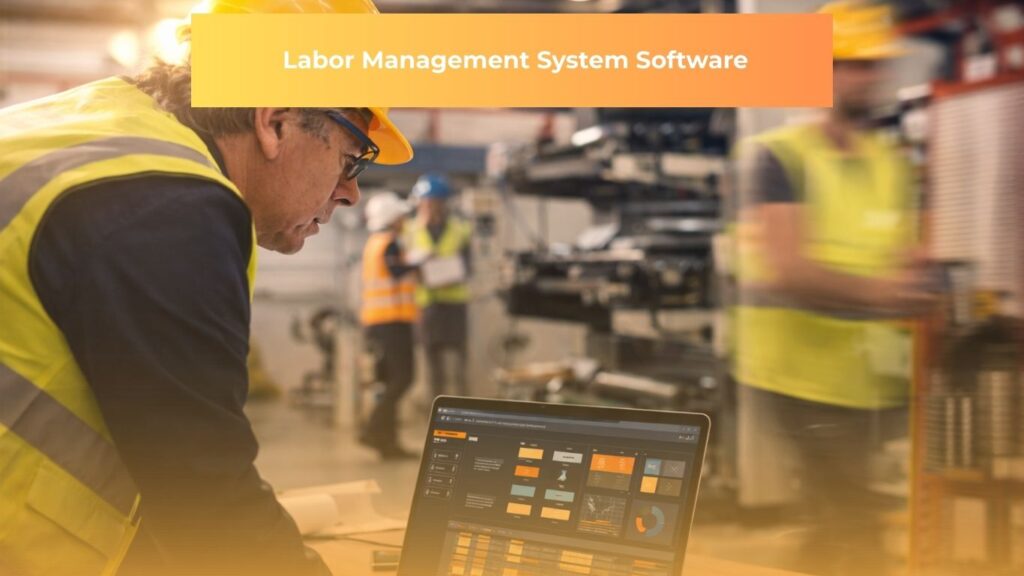
Labor management system software is a category of workforce technology that enables organizations to plan, track, analyze, and control employee labor activities across shifts, locations, and departments.
At its core, the software connects time and attendance data to scheduling, payroll, and performance reporting within a single platform. This gives managers a real-time view of how labor resources are being deployed and where costs are accumulating.
Industries that rely on large hourly workforces in retail, healthcare, warehousing, construction, and logistics have driven the majority of adoption. In those environments, even marginal inefficiencies in shift coverage or overtime usage translate directly into significant financial losses.
It is worth distinguishing labor management software from the broader category of workforce management software. According to the Society for Human Resource Management (SHRM), labor management specifically addresses the operational side of the workforce: who is working, when, at what cost, and whether output is meeting targets. Workforce management extends further to include talent acquisition, learning management, and long-range planning. Labor management system software functions as the operational engine that feeds data upward into HR and payroll platforms.
Components of a Labor Management System Software
A labor management system is an architecture of interconnected components, each addressing a distinct operational problem. The value of the platform depends on how well those components communicate with each other.
Time and Attendance Tracking
This forms the foundation of any labor management platform. Modern systems capture clock-in and clock-out events through mobile apps, biometric terminals, or web portals. GPS and geofencing features confirm that employees are physically present at the designated worksite, a critical capability in construction and field services where workers may be spread across multiple active sites simultaneously.
Scheduling and Labor Forecasting
This is the component that separates more capable platforms from basic time-tracking tools. Labor forecasting software uses historical data, sales volumes, production targets, or patient census figures to generate predicted staffing requirements, then matches those requirements against available employees based on their skills, availability, certifications, and labor cost.
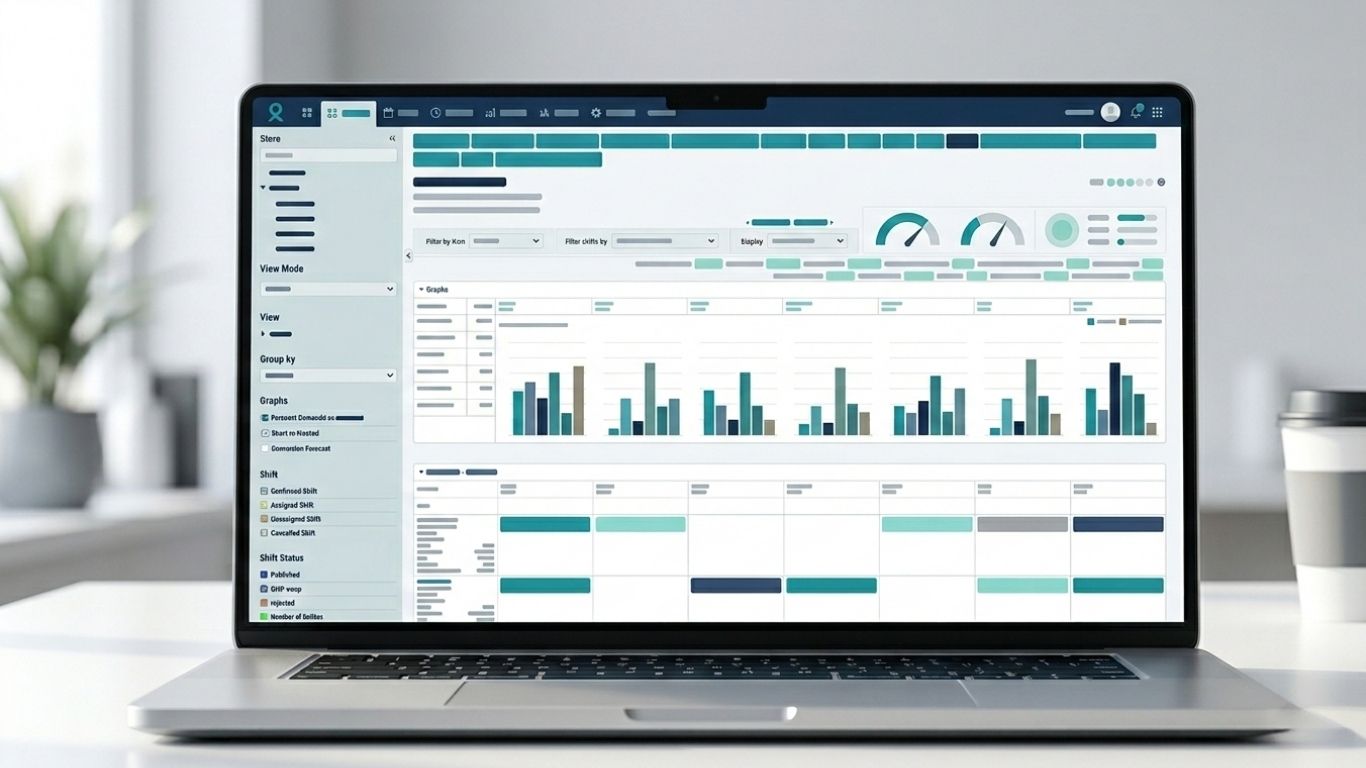
The result is a shift schedule grounded in operational demand rather than habit or guesswork.
Labor Cost and Budget Management
These tools translate scheduled and worked hours into financial figures in near real time. Managers can see whether their department is tracking above or below budget before the pay period closes, creating a window to intervene before overspending becomes irreversible.
Performance Analytics
Performance analytics functions differently depending on the industry:
- In warehouse and distribution settings, tools measure individual pick rates, task completion times, and throughput against engineered labor standards
- In retail and healthcare, metrics shift toward customer service levels, task adherence, and schedule efficiency
- Across all sectors, the data feeds coaching decisions, incentive programs, and staffing adjustments
Compliance Monitoring
Many buyers underestimate this component until they face a wage and hour audit. Labor management system software tracks hours against federal and state regulations governing minimum wage, overtime, break requirements, and predictive scheduling laws. The system generates alerts when an employee approaches a compliance boundary.
The U.S. Department of Labor Wage and Hour Division outlines the federal obligations that employers must meet, many of which these platforms are specifically designed to monitor and document automatically.
Capabilities of a Labor Management System Software
The real utility of labor management system software emerges when scheduling data, time records, and performance metrics are analyzed together rather than in isolation.

AI-Driven Scheduling
AI-driven scheduling is now a standard feature in most enterprise-grade platforms. These systems go beyond filling open shifts. They model the cost implications of different staffing configurations, flag schedules that will generate preventable overtime, and in some cases automatically reassign shifts when an employee calls out.
The practical effect: scheduling decisions that once consumed hours of a manager’s week are reduced to simple approvals.
Payroll Integration
Direct payroll integration eliminates a persistent operational problem: the manual re-entry of time data into a separate pay calculation system. When labor management system software connects directly to payroll, approved time records flow through automatically, reducing transcription errors and accelerating the pay cycle.
Most enterprise platforms offer native integrations with ADP, Paylocity, or Workday. Many mid-market tools connect through standard API frameworks.
Mobile Access
Mobile access has become a baseline expectation. Employees in field-based roles need to submit availability, swap shifts, and receive schedule notifications from their phones. Managers need to approve timesheets and monitor coverage from wherever they are.
Platforms such as Deputy, Sling, and Connecteam have built their product strategies around mobile-first design, making them especially popular with small and mid-sized businesses managing distributed teams.
Reporting and Analytics
Capabilities vary considerably across the market:
- Basic platforms produce labor cost summaries and attendance reports
- Advanced systems generate labor efficiency ratios, forecast accuracy scores, and overtime trend analyses
- The most sophisticated tools connect workforce decisions directly to financial outcomes
Benefits of a Labor Management System Software
The measurable benefits fall into three primary categories: cost reduction, compliance risk mitigation, and management capacity.
- Reducing Labor Costs
The most direct financial benefit is the reduction of unplanned overtime. Scheduling tools that model labor costs before a shift schedule is published give managers the information they need to redistribute hours before the expense is incurred.
Organizations in high-volume industries frequently report overtime savings of 10 to 20 percent in the first year of deployment. Results depend heavily on how consistently the system is used and whether scheduling authority is centralized.
- Mitigating Compliance Risk
Wage and hour litigation is expensive and reputationally damaging. The regulatory environment governing hourly workers has grown more complex, particularly in states and municipalities that have enacted predictive scheduling or mandatory rest period laws.
Labor management system software creates an auditable record of scheduling decisions, break adherence, and pay calculations, providing documented evidence of compliance intent if a dispute arises.
- Freeing Up Management Capacity
When scheduling, time approval, and performance reporting are automated, front-line managers recover hours previously spent on administrative tasks. That capacity can be redirected toward coaching, customer service, or operational problem-solving.
For smaller operations, the benefit calculus is more immediate. A business with 20 employees may find that a lightweight tool like ClockShark or Workforce.com eliminates enough manual administration to justify the subscription cost within a few months.
Challenges of a Labor Management System Software
No technology implementation eliminates problems without introducing new ones. The following challenges, if left unaddressed during selection and rollout, can significantly reduce the return on investment.

Implementation Complexity
Labor management system software implementation is the most frequently cited challenge among adopting organizations. The technical side, configuring the system, connecting it to payroll, and importing employee records, is generally manageable.
The harder work is behavioral:
- Getting supervisors to use scheduling tools consistently
- Training employees on time capture procedures
- Establishing governance rules that prevent workarounds
Implementations that lack executive sponsorship or adequate change management support tend to stall at partial adoption.
Data Quality
Labor management analytics are only as reliable as the data feeding them. Buddy punching, where one employee clocks in on behalf of another, remains a persistent problem in environments without biometric verification. GPS spoofing is an emerging equivalent issue for mobile clock-in systems.
Organizations that do not audit their data periodically risk making staffing and scheduling decisions based on figures that do not reflect actual behavior.
Integration Complexity
This challenge grows with the age and fragmentation of an organization’s existing technology stack. Connecting a labor management platform to a legacy payroll system, a decade-old ERP, and a separately acquired workforce planning tool requires either native connectors or custom API work, both of which add time and cost to the deployment.
For organizations considering how labor management platforms connect with broader enterprise systems, Manufacturing ERP Software: A Complete Guide for Modern Manufacturers offers a useful reference on how ERP architecture shapes integration decisions across the supply chain.
Employee Resistance
GPS tracking and productivity monitoring carry a human dimension that pure technical implementation cannot address. Workers who feel surveilled rather than supported are more likely to find workarounds or disengage entirely.
Organizations that communicate clearly about what data is collected, how it is used, and what protections employees have consistently encounter less friction during rollout.
How to Choose the Best Labor Management System Software
Choosing the right platform requires more than comparing feature lists. It means matching capabilities to operational context, integration requirements, budget parameters, and the organization’s realistic capacity for change.

Enterprise Organizations
Enterprise organizations managing thousands of hourly workers across multiple regions typically need:
- Sophisticated labor forecasting and multi-location scheduling
- Deep payroll integration and compliance automation
- Scalable reporting across business units
ADP Workforce Now and Oracle Workforce Management are the most commonly evaluated platforms at this tier. Both offer comprehensive capabilities that extend into broader human capital management, but their configuration complexity and licensing costs make them unsuitable for smaller organizations.
Mid-Market Organizations (50 to 500 Employees)
Businesses in retail, healthcare, or food service in this size range frequently find that platforms such as Deputy, Sling, or Workforce.com deliver the scheduling, time tracking, and basic analytics they need at a proportional price point. Connecteam is a strong option in this segment, particularly for businesses with large numbers of deskless workers who rely heavily on mobile communication.
Construction and Field-Based Industries
Construction labor scheduling software must accommodate project-based work structures, trade certifications, and multi-site deployment, requirements that rule out many general-purpose scheduling tools. Key options include:
- Procore integrates labor tracking within a broader construction management platform
- Fieldwire offers field-level task and workforce management for trades
- ClockShark is a lighter-weight option favored by smaller firms for GPS time tracking and job costing
Clarifying Common Misconceptions
Searches for “which WMS is best?” and “what are the four types of WMS?” often surface alongside labor management queries, but they refer to warehouse management systems, a distinct software category. The four types of WMS are:
- Standalone WMS
- Supply chain module WMS
- ERP-integrated WMS
- Cloud-native WMS
For organizations operating in warehousing or logistics, the question of which inventory platform to layer alongside a labor management system is a separate but related decision.
QuickBooks is not a labor management system. It is an accounting tool with basic time tracking through QuickBooks Time, but it lacks scheduling, labor forecasting, or performance analytics. Accountants working in larger organizations sometimes resist QuickBooks not because of its time features, but because of its limitations in handling multi-entity structures, complex revenue recognition, and enterprise-grade audit trails.
Microsoft does not offer a dedicated labor management system. However, Microsoft Dynamics 365 Supply Chain Management includes WMS functionality that some organizations deploy as part of a broader ERP implementation.
Key Evaluation Criteria
When assessing any platform, prioritize these variables:
- Does the scheduling engine account for labor cost in real time?
- How does the system handle compliance rules for your specific jurisdictions?
- What is the integration path to your existing payroll system?
- What level of implementation support does the vendor provide?
A platform with strong features that is never fully adopted delivers no value. A simpler platform used consistently and correctly will almost always outperform a sophisticated one that stays partially configured.
Build Your Labor Management System with HBLAB
Off-the-shelf labor management platforms are built for the average business. If your workforce operates across multiple sites, follows industry-specific compliance rules, or runs on payroll infrastructure that generic tools cannot connect to, the average solution will cost you more in workarounds than it saves in efficiency.
HBLAB builds scalable, highly customizable labor management system software from the ground up, delivered in phases that map directly to your operational priorities. Each component, whether that is time and attendance tracking, AI-driven scheduling, compliance monitoring, or payroll integration, is developed to fit your workflows rather than forcing your business to adapt to rigid, pre-packaged logic. You get what you need first, and the system grows with you.

With 10 or more years of experience in custom enterprise software and a team of 700 or more IT professionals, including senior engineers who have built workforce and scheduling systems across retail, construction, healthcare, and logistics, HBLAB brings both technical depth and industry context to every engagement. Our CMMI Level 3 certification reflects the process rigor that keeps development timelines predictable and delivery quality consistent, regardless of how complex the integration requirements are.
Clients retain full control over workflows, tools, and product delivery throughout the engagement, with flexible models that scale from a dedicated development team to a full Build-Operate-Transfer arrangement.
If your current labor management setup is not performing the way your operation demands, the gap is almost certainly in the fit between the software and the business, not in the concept itself.
CONTACT US FOR A FREE CONSULTATION
People Also Ask
1. What are the top 5 HCM systems?
The most widely adopted Human Capital Management systems are Workday HCM, SAP SuccessFactors, Oracle HCM Cloud, ADP Workforce Now, and UKG Pro. Enterprise organizations with complex workforce structures tend to evaluate Workday and SAP first, while mid-market buyers often land on ADP or UKG based on payroll integration needs.
2. What are the four types of WMS?
The four types of warehouse management systems are standalone WMS, supply chain module WMS, ERP-integrated WMS, and cloud-native WMS. These are distinct from labor management platforms and address inventory movement and warehouse operations rather than workforce scheduling or labor cost control.
3. What is labor management software?
Labor management software is a workforce technology platform that tracks time and attendance, automates employee scheduling, monitors labor costs in real time, and measures workforce productivity. It is primarily used in industries with large hourly or shift-based workforces such as retail, healthcare, construction, and logistics.
4. What is the best WFM software?
There is no single best workforce management software. Enterprise organizations typically evaluate ADP Workforce Now, Oracle Workforce Management, or Workday. Mid-market businesses commonly use Deputy, Sling, or Workforce.com. The right choice depends on workforce size, industry, payroll infrastructure, and compliance requirements.
5. What is the most used HR software?
Workday and SAP SuccessFactors are the most widely used HR software platforms at enterprise scale globally. For small and mid-sized businesses, BambooHR and ADP Workforce Now hold significant market share. Adoption varies considerably by region and company size.
6. Which is better, SAP HCM or Workday HCM?
Workday is generally preferred by organizations that want a modern, cloud-native interface with faster implementation timelines. SAP HCM suits organizations already running SAP ERP infrastructure that need deep system integration. Workday scores higher on usability; SAP scores higher on configurability for complex, established enterprise environments.
7. Is SAP HCM outdated?
SAP’s on-premise HCM product is approaching end of mainstream maintenance, with SAP directing customers toward SAP SuccessFactors as its cloud-based replacement. Organizations still running on-premise SAP HCM are encouraged to plan migration. SAP SuccessFactors itself remains a current, actively developed platform.
8. What is Workday’s biggest competitor?
SAP SuccessFactors is Workday’s closest enterprise competitor in the HCM market. Oracle HCM Cloud is a strong second. For organizations that prioritize payroll depth over HCM breadth, ADP Workforce Now is frequently evaluated alongside Workday at the mid-market and lower enterprise tier.
9. Does HCM do payroll?
Most enterprise HCM platforms include payroll as either a native module or a tightly integrated add-on. Workday Payroll, SAP SuccessFactors Employee Central Payroll, and ADP Workforce Now all process payroll within the HCM environment. However, payroll depth varies significantly across platforms, and some organizations run a separate dedicated payroll system connected to their HCM via API.
READ MORE: