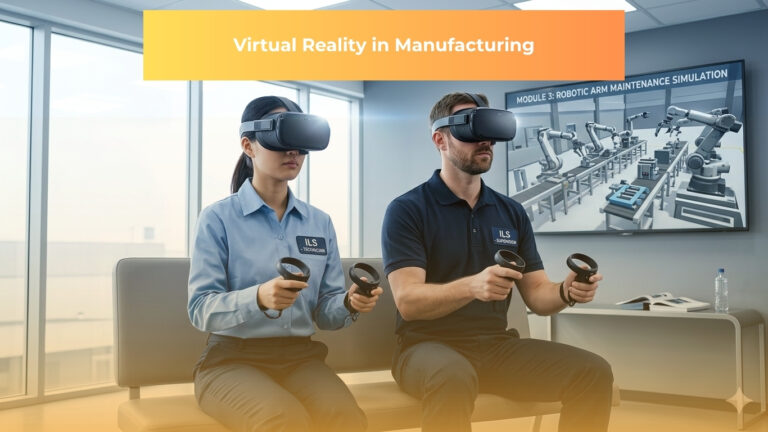
Learning how to make a VR game has never been easier.
What once required cutting-edge laboratory equipment and teams of specialized engineers now fits in your hands through affordable VR headsets and genuinely free development tools.
Whether you’re a complete beginner with zero coding experience or an experienced programmer looking to enter the VR space, this comprehensive GUIDE walks you through every critical stage of how to make a VR game—from your initial concept through successful launch.
The question of how to make a VR game reveals itself differently than traditional game development.
Virtual reality isn’t simply a prettier version of desktop gaming. It’s a fundamentally different medium that rewires how players perceive space, interact with objects, and feel present in digital worlds.
This guide incorporates insights from professional VR literature, including cutting-edge research from the IEEE on game user experience, to ensure you understand not just the “how” but the “why” behind every design decision.
Understanding VR’s Unique Challenges: What Makes This Different
Before investing time in how to develop VR apps, you must grasp what makes VR development distinctly different from creating traditional games.
The Three Pillars of Immersion: Involvement, Immersion, and Presence
Academic research on VR gaming identifies three psychological constructs that directly determine whether your VR game succeeds or fails:
- Involvement means capturing players’ attention through relatable, interesting environments and compelling gameplay mechanics. Unlike desktop games where a player’s focus can drift to a second monitor, VR demands complete mental engagement.
- Immersion describes the psychological encapsulation where players perceive themselves as integrated components of the virtual environment. The VR system must convincingly override sensory input from the physical world and replace it with consistent virtual stimuli.
- Presence represents the powerful mental state where users genuinely believe they exist within the virtual space, despite knowing intellectually that they don’t. This is the “magic moment” in VR—when the immersive experience feels completely real.
Remarkably, research comparing VR across different platforms revealed something counterintuitive: sense of presence is a stronger predictor of player satisfaction than graphics quality.
Studies found that players experiencing genuine presence reported significantly higher enjoyment regardless of whether they played on an Oculus Rift, HTC Vive, or even lower-resolution platforms.
Your job as a how to make a VR game developer isn’t maximizing polygons—it’s maximizing presence.
The Performance-Perception Paradox
Here’s what separates professional VR developers from hobbyists: understanding that VR demands 90 frames per second, period.
Desktop games target 60 FPS.
VR requires 50% more rendering performance because frame rate directly affects motion sickness.
A player might tolerate a missed frame on a desktop; in VR, every dropped frame increases nausea risk.
This performance requirement fundamentally shapes every subsequent design decision.
Many successful VR games use deliberately simple 3D models, clever texturing, and strategic lighting rather than polygon-heavy assets.
The result? Often more visually appealing experiences with better performance.
Step 1: Develop Your VR Game Concept With Strategic Thinking
Answering Your Foundation Questions
Before touching development software, answer these essential questions:
What problem does your VR game solve?
Maybe you’re building entertainment.
Maybe education.
Maybe fitness.
Maybe social connection.
Understanding your core purpose clarifies priorities throughout development.
Who is your target player?
VR players span age groups from children to seniors, experience levels from never-worn-a-headset to VR enthusiasts, and preferences from action-packed shooters to meditative experiences.
Your design decisions differ dramatically based on who you’re building for.
What’s your target session length?
VR fatigue feels different than desktop gaming fatigue.
Most successful VR experiences intentionally limit session length to 15-45 minutes.
Players feel satisfied rather than exhausted.
This design constraint actually improves your game because it forces focus on core mechanics rather than padding.
Which VR platform(s) will you target?
The most popular current platforms—Meta Quest 3, PlayStation VR2, HTC Vive Pro 2, and Valve Index—have different capabilities, player bases, and technical requirements.
Starting with one platform is wise; expanding comes later.
What makes your game different?
In a saturated market, differentiation matters.
Perhaps you innovate on mechanics, art style, narrative approach, or multiplayer systems.
Identifying your unique angle early prevents weeks of development on concepts already well-covered.
Creating Your Game Design Document
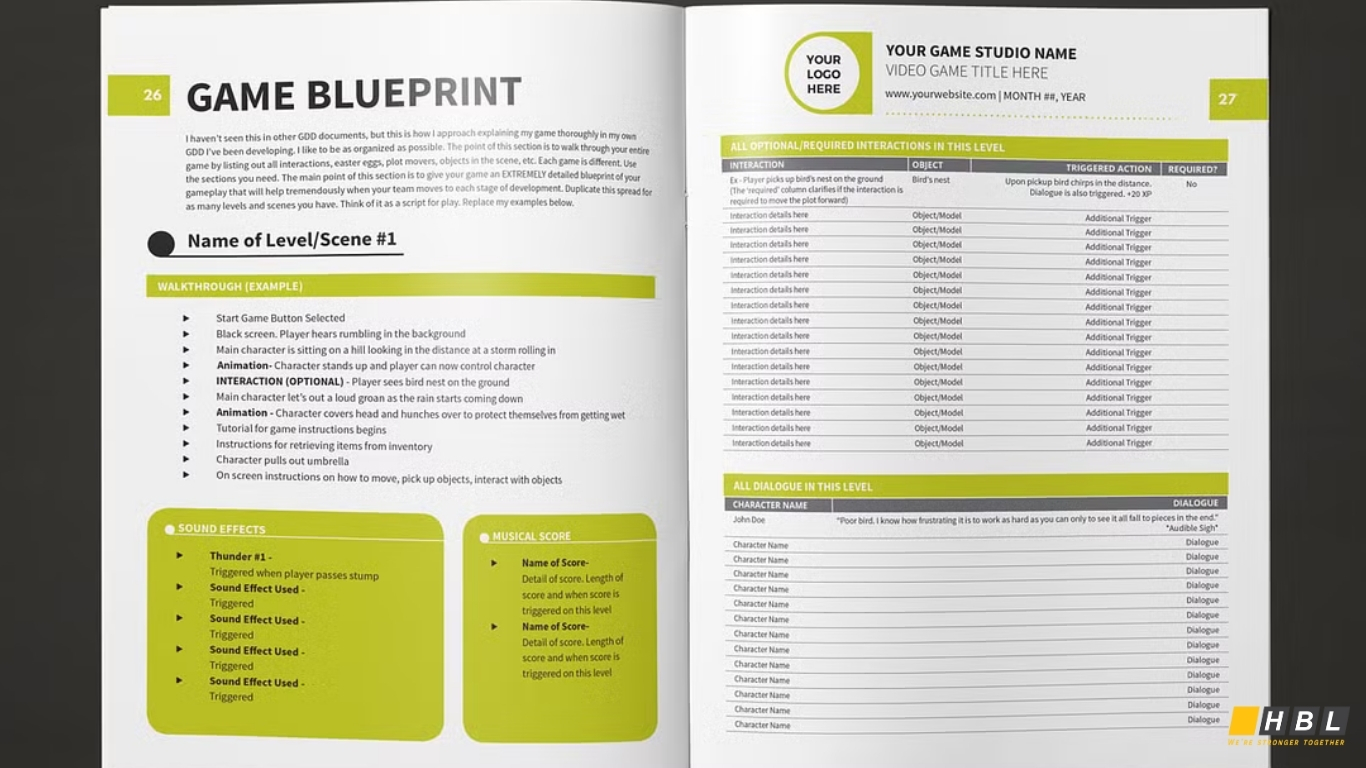
Document your answers in a Game Design Document (GDD)—essentially, your creative and technical blueprint for the entire project. This document should include:
- Core gameplay mechanics (what players actually do)
- Target platform specifications
- Estimated scope and development timeline
- Visual and audio direction
- Interaction design principles
- Target audience profile
- Unique selling points
A thorough GDD prevents mid-development pivots that waste weeks of work.
It also enables collaboration if you’re building with a team—everyone references the same vision.
Step 2: Choose Your Development Tools Strategically
The Engine Decision: Unity vs. Unreal
The largest technical decision for how to make a VR game is engine selection. Two platforms dominate: Unity and Unreal Engine.
Unity: The Beginner-Friendly Path
Unity remains the optimal choice for most first-time VR developers. Here’s why:
Accessibility: Unity’s visual scripting systems (including visual scripting within the core editor) enable game logic creation without writing code. Advanced developers still use C# scripting, but beginners can accomplish a surprising amount visually.
Asset Ecosystem: The Unity Asset Store provides thousands of pre-built 3D models, animations, user interface systems, and complete project templates. You’re not coding everything from scratch; you’re assembling existing components intelligently.
Mobile VR Support: If developing how to make a VR game for free targeting budget-conscious players, Unity excels on mobile VR platforms and standalone headsets like Meta Quest.
Learning Resources: More VR tutorials, courses, and sample projects exist for Unity than any other engine. The community is enormous and actively helpful.
Performance on Mobile: For standalone VR headsets (which use ARM processors rather than desktop CPUs), Unity consistently delivers better performance than alternatives.
Real-World Success: Most successful indie VR games—including Superhot VR, I Expect You To Die, and Pavlov Shack—were built in Unity.
For your first VR project, Unity almost certainly represents the correct choice.
The learning curve is steep but manageable.
The tools are intuitive.
The community is supportive.
Unreal Engine: For Technically Advanced Developers
Unreal appeals to developers with strong programming backgrounds or studios with dedicated programmer resources:
Graphics Fidelity: If your VR game demands next-generation visual quality, Unreal’s rendering technology leads the industry. Photorealistic VR experiences require Unreal’s power.
Performance Ceiling: Unreal’s optimization capabilities support the most demanding VR experiences. Developers willing to optimize aggressively can achieve stunning results.
C++ Programming: Serious optimization requires C++. If your team includes experienced C++ programmers, Unreal unlocks potential Unity can’t match.
Blueprint Visual Scripting: Blueprints enable visual game logic creation without C++, but less intuitively than Unity’s systems.
However, Unreal’s steeper learning curve means beginners typically spend three to six months learning basic workflows before completing their first game. This upfront investment often frustrates first-time developers.
Explore the best engagement model for your goals
Building VR Games Free: The Complete Toolkit
Yes, you can develop professional-quality VR games without spending money. Here’s everything genuinely free:
Game Engine:
- Unity Personal Edition (completely free if revenue stays below $100k annually; most indie developers never hit this threshold)
3D Content Creation:
- Blender (free, professional-grade 3D modeling, rigging, animation, and rendering)
- Sketchfab (free 3D models to download and modify)
- OpenGameArt.org (free textures, models, and game assets)
Audio Tools:
- Audacity (free sound editing)
- FMOD Studio (free tier for independent developers; professional spatial audio capabilities)
- Freesound.org (free sound effects library)
Learning Materials:
- Unity Learn (official free courses and tutorials)
- YouTube (thousands of free VR development tutorials)
- Community forums (r/Unity3D, r/VRDev, official game engine forums)
This free toolkit genuinely enables developing and publishing a professional VR game.
Budget limitations don’t prevent VR development; they just require swapping paid tools for free alternatives.
Step 3: Master Interaction Design—The Foundation of Presence
Hand Tracking and Controller Input: Natural Interaction
In virtual reality app development, how players interact with your world directly determines whether immersion survives or shatters. Most VR players interact through hand controllers—whether Meta Touch controllers, Valve Index knuckles, PlayStation Move controllers, or future hand-tracking systems.
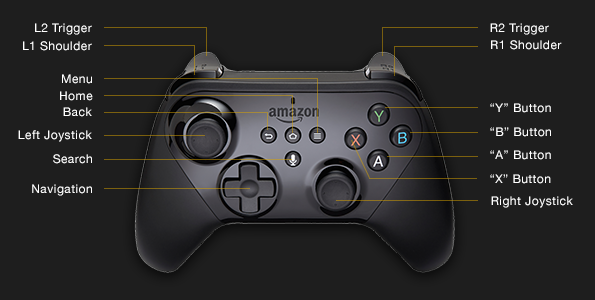
Making Interaction Obvious and Satisfying:
Interactive objects must visually communicate their purpose. A button should look pressable. A handle should invite grasping. A door should appear openable.
Players shouldn’t require a manual to understand interaction possibilities.
Providing Responsive Feedback:
When a player reaches toward an object, that object should move exactly where their hand moves. Even 50 milliseconds of input latency creates psychological discord—players’ brains detect something feels “off” and presence breaks.
This latency sensitivity makes optimization non-negotiable.
Respecting Physical Comfort:
Motion in VR requires careful consideration. Moving through virtual space while physically standing still creates vection—the illusion of self-motion where your visual system reports movement but your vestibular (balance) system doesn’t.
This sensory mismatch causes motion sickness in many players.
Research shows teleportation movement (where players instantly teleport to new locations) causes less sickness than smooth locomotion. However, many experienced VR players prefer smooth movement.
Professional VR games offer both options, letting players choose their comfort level.
Designing Interaction Better Than Reality
Counter to intuition, the best VR interactions aren’t realistic—they’re satisfying. Players don’t want realistic object manipulation with dozens of micro-movements. They want to reach toward something, press the grab button, and instantly possess it.
Realism creates friction. Satisfaction creates engagement.
Your design should abstract away tedious mechanics while preserving physics where appropriate (objects rolling naturally, dominoes falling realistically).
Step 4: Build Your Virtual World With Performance in Mind
3D Modeling With Blender
Virtual reality app development requires 3D assets. While you could purchase everything from asset stores, learning basic 3D modeling with Blender (free, professional-grade software) deepens your creative control and reduces costs.
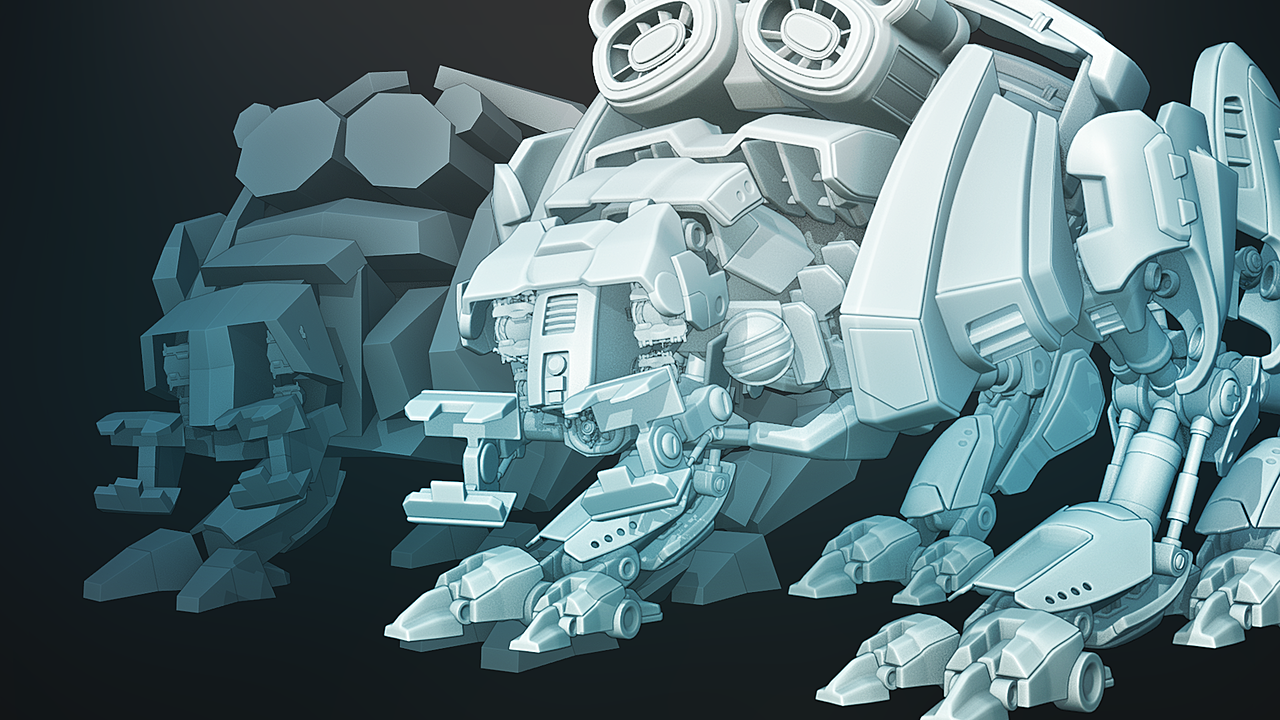
Blender capabilities include:
- 3D modeling (from simple geometric shapes to complex organic forms)
- Rigging and skeletal animation (making characters and creatures move naturally)
- Texture painting and UV mapping (adding realistic surface details)
- Multiple rendering engines (previewing final appearance)
- Physics simulation (cloth, fluid, smoke, destruction effects)
You don’t need to become a 3D artist to benefit. Many successful indie VR games use deliberately simple geometric shapes with excellent textures and strategic lighting rather than complex models. Simplicity combined with craftsmanship often outperforms complexity combined with mediocrity.
Performance Optimization: Your Real Job
Here’s what separates professional VR developers from hobbyists: obsessive performance optimization.
VR demands 90 frames per second. This isn’t a preference—it’s a requirement. Miss 90 FPS consistently and players experience motion sickness. Most desktop games target 60 FPS. VR demands 50% more rendering performance.
What performance constraints mean:
- Polygon count matters: Complex 3D models with millions of polygons might render beautifully on a desktop PC but destroy VR performance
- Lighting calculations are expensive: Real-time shadows and complex lighting consume GPU time you don’t have
- Overdraw kills performance: Drawing the same pixel multiple times (even if invisible to players) wastes precious frame time
- Draw call optimization: Grouping objects into larger rendering batches reduces overhead
Professional VR optimization strategy:
Rather than high-polygon models, use lower-polygon geometry combined with excellent textures and lighting. This approach consistently delivers more visually appealing results despite “inferior” geometry. The human eye perceives lighting, color, and surface detail more readily than polygon count.
Step 5: Implement Core Mechanics and Game Systems
Understanding the Virtual World Generator
The VR development community uses a conceptual framework called the Virtual World Generator (VWG)—the software system maintaining your game world and rendering it to players’ eyes.
The VWG must:
- Track head position and orientation continuously (90+ times per second)
- Maintain virtual world state (every object’s position, rotation, and properties)
- Render stereoscopic views (separate images for each eye)
- Apply physics simulation to interactive objects
- Process player input (controller buttons, hand position, voice commands)
- Generate spatial audio (sounds appearing to originate from 3D locations)
For how to make a VR game, you won’t code a VWG from scratch. Game engines provide these systems. Understanding the conceptual framework helps you design better games.
The VR Game Loop: Maintaining Perfect Timing
The game loop—the continuous cycle processing input, updating world state, and rendering—must maintain perfect timing. Any stutters, hitches, or frame rate drops break immersion more dramatically in VR than desktop games.
Conceptually, every VR game loop performs these steps:
- Read head tracker position and orientation
- Read controller positions and button states
- Update game world (move enemies, apply physics, update animations)
- Calculate left-eye camera view based on head position
- Render left-eye image
- Render right-eye image
- Display rendered frames to headset
- Repeat at 90 FPS (every 11 milliseconds)
Every operation must complete in under 11 milliseconds. A single expensive operation taking 15 milliseconds causes frame drops that players immediately perceive.
Step 6: Craft Immersive Audio—The Overlooked Power Element
Audio represents perhaps the most underrated development element in how to make a VR game. Professional VR developers invest heavily in audio because sound creates immersion even when visuals are mediocre.
Spatial Audio: Sound Has 3D Position
The most important audio concept for VR is spatial audio or 3D positional audio. In VR, sounds originate from specific locations in 3D space—just like visual objects.
When an enemy stands to your left, the gunshot sound should play primarily through your left ear with a quieter, slightly delayed version in your right ear. This replicates how your actual ears work and creates profound immersion.
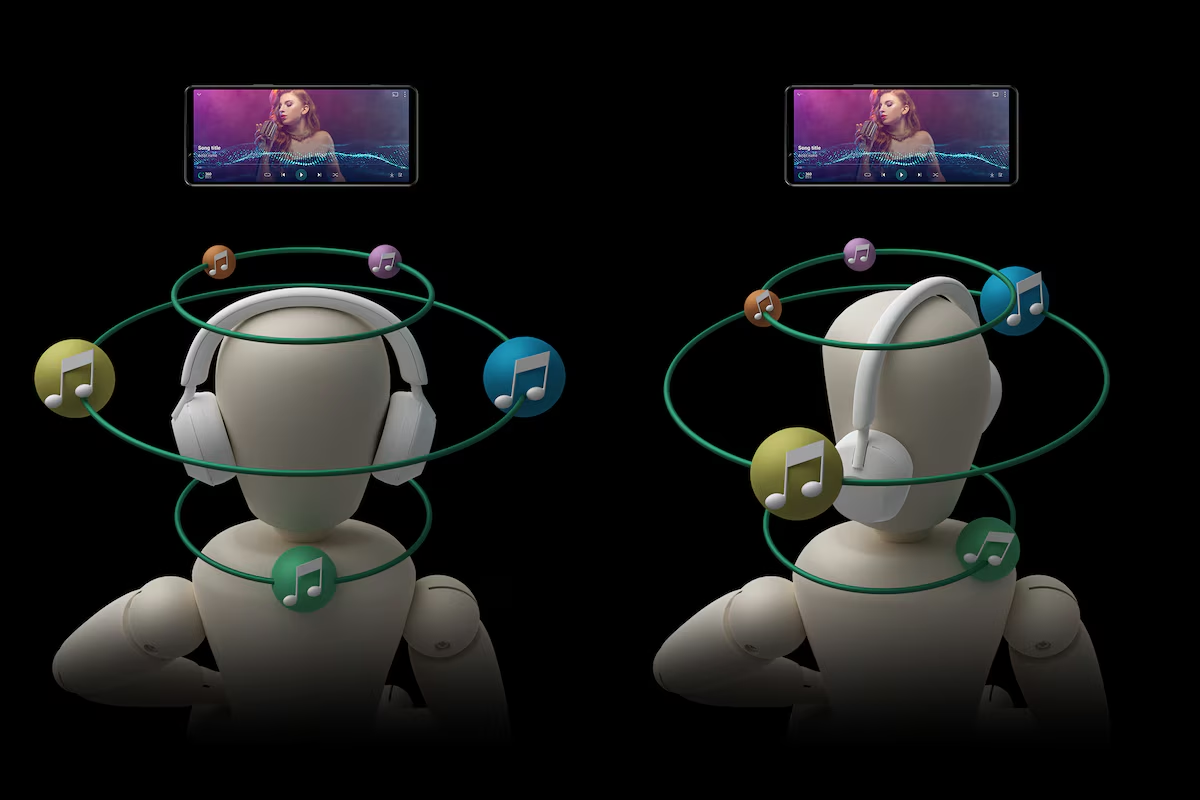
Professional audio tools like FMOD Studio and Wwise (both offering free tiers for independent developers) handle spatial audio. They integrate with game engines to automatically position sounds relative to player head position.
Audio Mixing Principles for VR
VR audio differs from desktop audio in important ways:
- VR headphones are intimate: Volume levels that sound fine on desktop speakers feel uncomfortable through VR headphones. Lower volumes than expected typically work better
- Silence is powerful: Quiet moments let players notice subtle ambient sounds, creating atmosphere
- Voice feels personal: Dialogue heard through VR headphones feels like someone speaking directly to you
- Audio cues guide attention: In fully immersive 3D environments, audio becomes a navigation tool
Step 7: Test Your VR Game—The Most Critical Development Phase
Hardware Testing Is Non-Negotiable
This deserves repetition: Test your VR game in actual VR headsets throughout development, not just at the end.
Common developer mistake: Build features in the editor, run on a desktop monitor for weeks, then test in a VR headset and discover everything feels wrong.
Your brain interprets VR fundamentally differently than desktop displays.
- Distances that look reasonable on a flat screen feel wrong in 3D space
- Scales that seem appropriate on desktop look tiny or enormous in VR
- Motion that feels smooth on a monitor causes nausea in a headset
Professional VR developers test in actual hardware at least once weekly throughout development.
Testing for Cybersickness
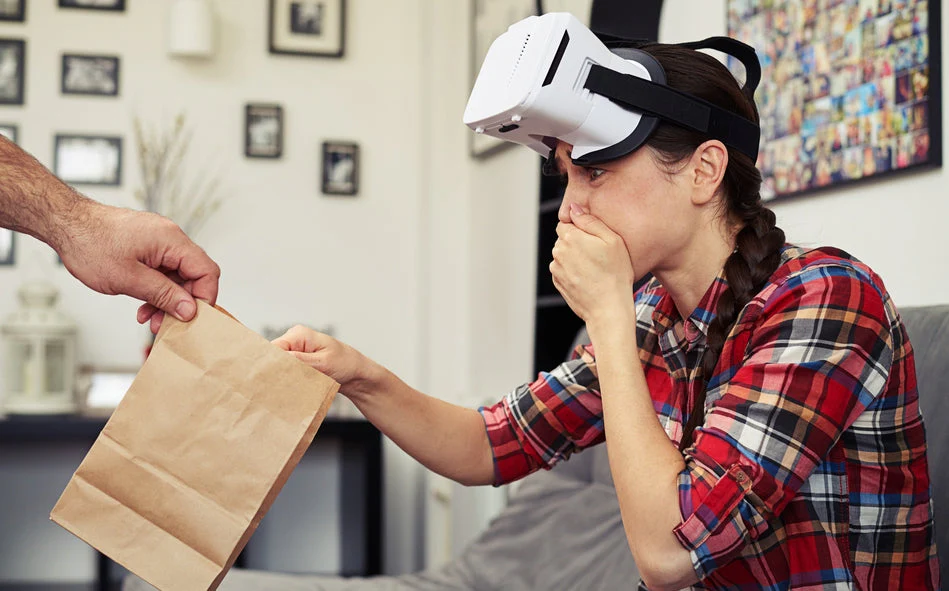
Motion sickness in VR is real. It’s called cybersickness, and your responsibility is identifying and eliminating causes.
Common cybersickness triggers:
- Vection (mismatched motion): Eyes perceive movement; balance system doesn’t
- Latency: Delays between head movement and visual updates
- High-speed movement: Especially smooth locomotion rather than teleportation
- Visual artifacts: Flickering, tearing, or distortion
- Vergence-accommodation mismatch: When close objects require eye convergence but simultaneous focus at different distances
Test with players unfamiliar with VR. If they feel nauseous after 30 minutes, you have design work to complete.
Performance Profiling and Optimization
Use your engine’s profiling tools obsessively. Unity’s Profiler and Unreal’s Stat commands reveal exactly where your frame time is consumed.
If your game isn’t consistently hitting 90 FPS:
- Reduce polygon counts on distant or secondary objects
- Simplify materials (fewer texture layers, simpler shaders)
- Implement frustum culling (don’t render objects outside camera view)
- Use level-of-detail systems (simpler models when objects are distant)
- Profile relentlessly (measure before optimizing)
Step 8: Design for Player Safety and Comfort
The Matched Zone Concept
VR developers use a concept called the matched zone—the area where the virtual world perfectly aligns with the player’s physical room.
For a seated player, the matched zone might be one cubic meter. For a standing player with room-scale VR, it could span an entire room.
Matched zone responsibilities:
- Ensure the real space is clear of obstacles that would harm walking players
- Ensure the virtual space is clear of obstacles that don’t exist in reality
- Clearly indicate boundaries so players understand their play space limits
Many successful VR games avoid these problems by using teleportation within fixed matched zones rather than unlimited exploration. This keeps players safe and prevents them from walking through real walls while distracted.
Preventing Simulation Sickness Through Design Choices
Beyond hardware, software design dramatically affects player comfort:
- Design levels minimizing locomotion: Staircases and long corridors cause more sickness than flat, open areas
- Reduce visual clutter: Excessive peripheral movement increases nausea
- Provide spatial reference points: Stationary environmental elements help brains maintain orientation
- Match real-world scales: Objects should feel correct for their type
- Avoid excessive camera rotation: Allow head turning; prevent independent camera rotation
Step 9: Polish, Iterate, and Publish
Building Your Minimum Viable Product First
Your first goal isn’t a complete, feature-rich game. It’s a Minimum Viable Product (MVP)—the smallest, most focused experience demonstrating your core concept.
If building a puzzle VR game:
- MVP: 3 puzzle levels demonstrating your core mechanics
- Not MVP: 50 levels, multiple difficulty modes, achievements, leaderboards
Complete your MVP, test extensively, gather feedback, and decide what to add next. Many developers waste months building features nobody wants.
Publishing Your VR Game
Once polished, you have several publishing options:
- Meta Quest Store: The largest VR game marketplace with millions of Quest headset owners. Success here provides significant revenue potential.
- Steam (SteamVR): Larger PC-based audience of hardcore VR enthusiasts.
- PlayStation Store: For PlayStation VR games, the primary distribution channel.
Itch.io: Free indie game hosting, good for building audience before commercial launch.
How to Develop VR Apps: Beyond Games
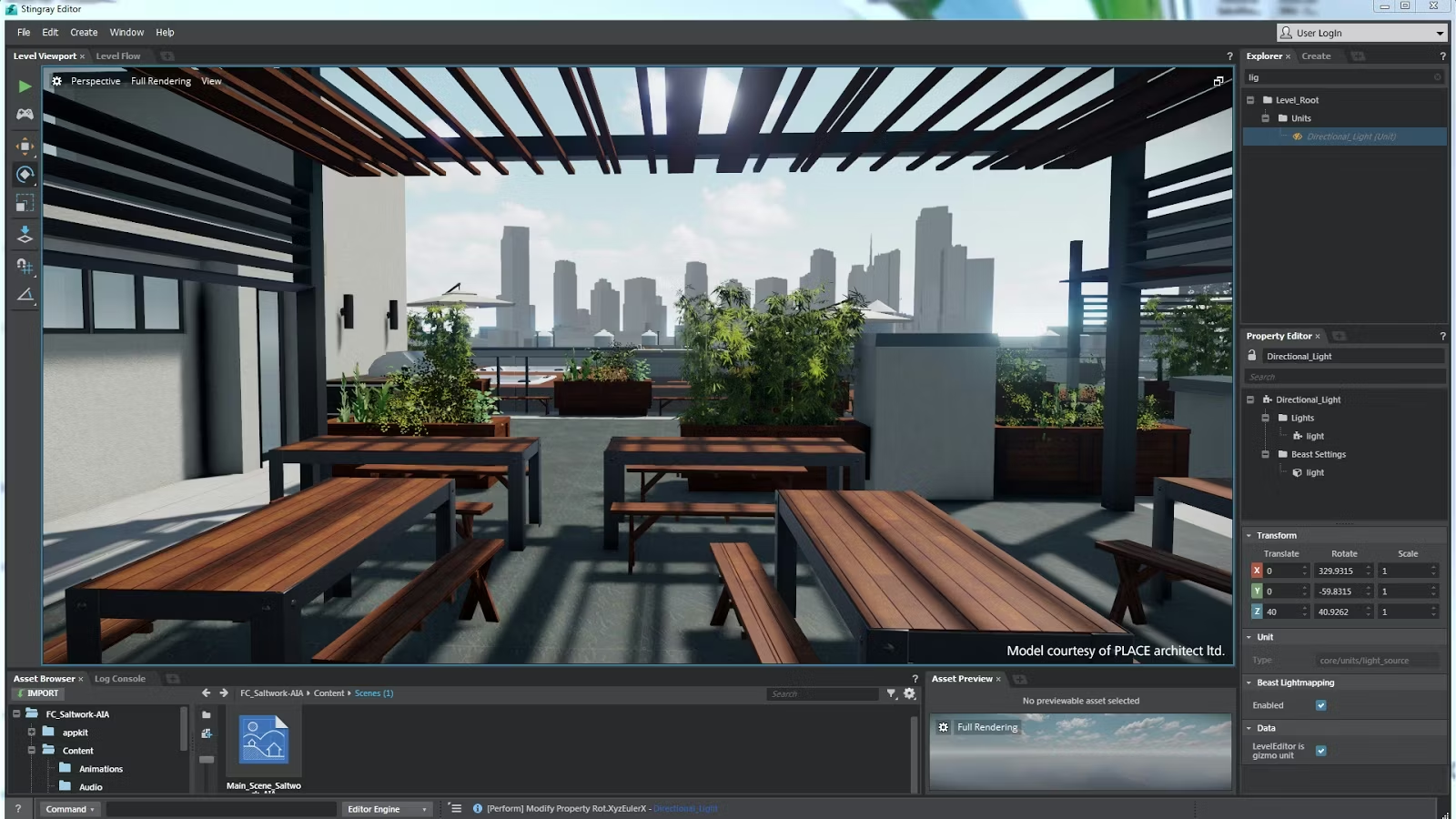
The principles for how to develop VR apps extend beyond entertainment:
- Training applications: Surgical training, equipment operation, safety procedures
- Educational experiences: Immersive science, history, and language learning
- Enterprise applications: Design visualization, data analysis, collaborative workspaces
- Healthcare: Therapy, pain management, cognitive rehabilitation
Technical skills remain identical. Design priorities shift—educational apps emphasize learning outcomes—but the VR development process is consistent.
Common Mistakes When Learning How to Make a VR Game
Mistake #1: Graphics over Mechanics
Developers spend 80% of time perfecting appearance, 20% on gameplay. Reverse this. Great mechanics with simple graphics beats mediocre mechanics with stunning graphics.
Mistake #2: Ignoring Performance Optimization
Optimizing late in development forces cutting features. Optimize continuously from day one.
Mistake #3: Skipping Hardware Testing
Desktop monitor testing misleads. Real headset testing reveals truth.
Mistake #4: Over-Scoping Projects
Build something small you can finish. Scale up based on success.
Mistake #5: Forgetting Player Comfort
Not every player tolerates your motion sensitivity. Provide comfort options making games accessible to more players.
Conclusion: Begin Your VR Development Journey
Learning how to make a VR game is genuinely within reach. You don’t need expensive equipment, years of experience, large teams, or enormous budgets. You need patience, persistence, willingness to iterate, and focus on completing something small before attempting something ambitious.
Start building today. The VR industry needs fresh voices and creative ideas. Your game idea could be next—but only if you begin now.
Key Takeaways
- Presence matters more than graphics quality
- Interaction design is critical for immersion
- Test constantly in actual VR hardware
- 90 FPS performance is non-negotiable
- Comfort trumps ambition
- Free tools are genuinely powerful
- Start small and iterate
About HBLAB
Building a high-quality VR experience isn’t just about choosing Unity or Unreal—it’s about delivering smooth performance, intuitive interactions, and the kind of “presence” that makes players forget they’re wearing a headset. HBLAB helps teams turn VR ideas into production-ready products by combining strong engineering execution with practical delivery models that scale as your roadmap grows.

HBLAB is a trusted software development partner with 10+ years of experience and a team of 630+ professionals. We hold CMMI Level 3 certification, supporting consistent, high-quality engineering processes—especially valuable for VR projects where performance budgets, QA rigor, and device compatibility can make or break user comfort.
Since 2017, HBLAB has also been advancing AI-powered solutions, which can complement VR initiatives through smarter content workflows, analytics, and personalization where relevant.
With flexible engagement options (offshore, onsite, dedicated teams) and cost-efficient delivery (often around 30% lower cost), HBLAB helps businesses accelerate VR product development without compromising quality.
CONTACT US FOR A FREE CONSULTATION
FAQ (People also ask)
1. What app should I use to make a VR game?
For most beginners, Unity is the easiest all-around choice because it has a huge VR tutorial ecosystem and supports common VR headsets well. Unreal Engine is also excellent if high-end visuals are the priority and you’re comfortable with a steeper learning curve.
2. Is VR growing or dying?
VR is still growing, but unevenly. Consumer gaming growth can fluctuate year to year, while enterprise use (training, simulation, visualization, collaboration) has been steadily expanding. The best signal is ongoing headset releases and continued investment in software ecosystems, which indicates the space is still active.
3. Do you need a PC to make a VR game?
Not always. You can develop VR on a PC and deploy to standalone headsets (like Quest) or PC VR headsets. For serious development, a PC is still the most common setup because it’s easier to build, debug, profile, and test.
How much does it cost to build a VR game?
It ranges widely:
-
Hobby prototype: $0–$500 (free tools + one headset).
-
Indie MVP: a few thousand to tens of thousands (assets, contractors, QA).
-
Commercial VR title: tens of thousands to millions (team salaries, art, QA, marketing, platform compliance).
4. Is C++ or C++ better for games?
This looks like a typo, but the usual comparison is C++ vs C#:
-
C++: common in Unreal and performance-critical systems; more complex.
-
C#: common in Unity; faster to learn and iterate for most developers.
5. Is VR good for ADHD?
It can be helpful for some people and unhelpful for others. VR can boost engagement and reduce distractions for certain tasks, but intense stimulation can also increase overwhelm, fatigue, or motion sickness. It’s best approached as an optional tool, not a universal solution.
6. What is the 30% rule in ADHD?
A common rule-of-thumb says executive function skills (planning, organization, time management) can lag behind peers by about 30% in ADHD. It’s not a strict medical measurement—more a practical way to set realistic expectations and supports.
7. What is the 2 minute rule for ADHD?
A popular strategy: if a task takes about 2 minutes (or feels very small), do it immediately to avoid procrastination buildup. Variations exist, but the core idea is lowering the “start barrier.”
8. Do autistic kids like VR?
Many do, especially when VR is predictable, calming, or interest-based. Others dislike it due to sensory sensitivity, motion discomfort, or the headset’s pressure/weight. Preference varies a lot by child and content type.
9. What is 90% of autism caused by?
There isn’t a single cause like that. Autism is understood to result from a complex mix of genetic factors and environmental influences; attributing “90%” to one cause is not supported in mainstream medical guidance.
10. Why can’t kids under 10 use Meta Quest?
Most VR manufacturers set age guidance due to safety, comfort, and development concerns: headset fit (IPD/eye alignment), motion sickness risk, balance and coordination, online safety/social features, and limited research on prolonged use in young children. (Also, policies can be stricter than general “guidance.”)
11. Do kids with autism-like ASMR?
Some autistic children enjoy ASMR-like sensory experiences (soft sounds, repetitive patterns, soothing visuals), while others find them unpleasant. Sensory profiles differ widely, so the safest approach is to treat it as an individual preference.
Read More:
– Robotic Process Automation in Healthcare: Transforming the Healthcare Industry with RPA
– Microsoft Copilot Studio: What It Is, How It Works, and Pricing