
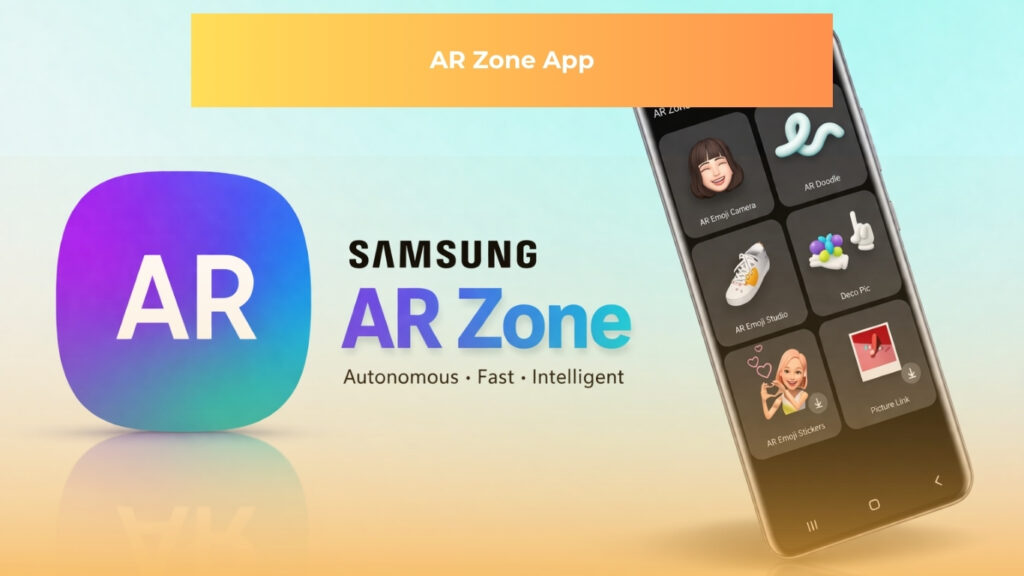
What Is the AR Zone App?
The AR Zone app is a native Samsung application that consolidates multiple augmented reality tools into a single, unified interface on Galaxy devices. Augmented reality, commonly shortened to AR, is the technology that overlays computer-generated images, text, or three-dimensional objects onto a live camera view of the physical world. Rather than replacing what a person sees, it adds a digital layer on top of it.
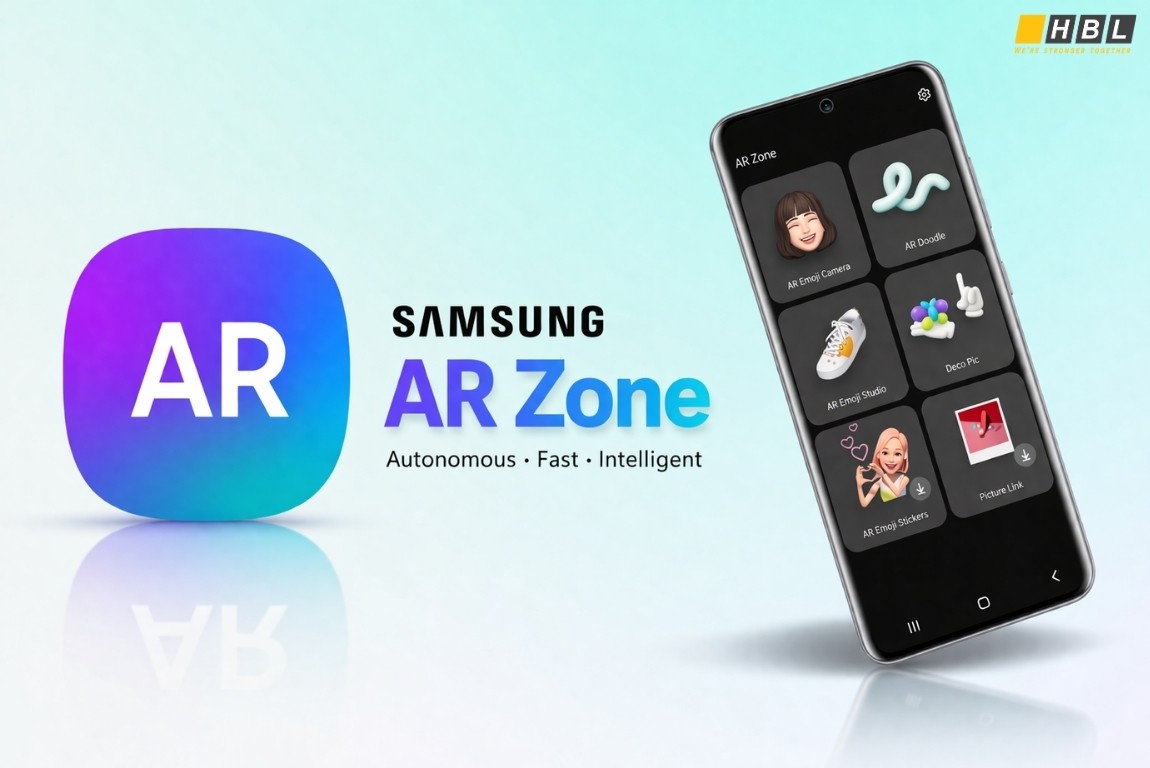
Samsung preloads the AR Zone app on Galaxy smartphones and tablets running One UI 2.1 through One UI 6. Devices that do not receive it by default can download it through the Galaxy Store, provided the hardware meets the minimum camera and sensor requirements.
In 2025, Samsung restructured the app as part of the One UI 7 update. The suite was decoupled: AR Doodle, Quick Measure, and Deco Pic became independent applications available separately through the Galaxy Store, while AR Emoji was renamed Galaxy Avatar and remained preloaded on supported devices. This modular approach reflects a shift toward lighter system installations without removing the underlying AR capabilities.
The app operates on two core technology layers. The first is Samsung’s proprietary camera framework, which handles image capture, real-time processing, and output rendering. The second is Google’s ARCore (Augmented Reality Core), a platform that provides environmental understanding, motion tracking, and light estimation so digital objects behave realistically within a camera view. Facial landmark tracking, the process of identifying and mapping dozens of specific points across a human face in real time, powers the emoji and avatar features within the suite.
What Is the Purpose of the AR Zone App?
The primary purpose of the AR Zone app for Samsung Galaxy users is creative visual expression. The suite allows users to:
- Generate personalized, animated 3D emoji avatars through AR Emoji
- Place animated drawings into a live camera view using AR Doodle
- Add interactive stickers, filters, and frames to photos and videos with Deco Pic
These tools are designed for casual, social use and require no prior knowledge of AR technology to operate.
Beyond creative tools, the suite includes a practical utility feature. Quick Measure uses the Galaxy device’s camera and onboard sensor data to measure physical objects and distances without any external equipment. The feature is accurate to approximately ±2 millimeters on flat surfaces within a two-meter range, making it a functional alternative to a tape measure for everyday tasks such as checking furniture dimensions or estimating wall space.
The AR Emoji feature, now called Galaxy Avatar in One UI 7, demonstrates a more precise technical process. The device camera captures a single image of the user’s face, and facial landmark tracking maps dozens of reference points including the eyes, nose, mouth corners, and jawline. The resulting avatar mirrors the user’s facial expressions and head movements in real time, and it can be exported as a sticker pack for use in messaging applications such as WhatsApp.
For businesses, the AR Zone app demonstrates a commercially proven model: embedding AR functionality directly into consumer hardware at scale, without requiring users to discover or install a separate application. As noted by VisionX, industries including retail, interior design, real estate, and education observe this approach as a template for product visualization tools, virtual try-on experiences, and remote measurement applications.
>> Augmented Reality and Virtual Reality in Manufacturing
The broader market context supports why this model attracts commercial attention. The global AR market was valued at approximately $49.59 billion in 2025 and is projected to reach $529.93 billion by 2034.
Key Features of the AR Zone App
The AR Zone app on Samsung Galaxy devices includes six core features, each serving a distinct function within the augmented reality suite.
AR Emoji Camera is the most prominent feature in the suite. The Galaxy device camera captures the user’s face and generates a personalized, animated three-dimensional avatar that mirrors the user’s facial expressions and head movements in real time. The output can be used in selfies, video recordings, GIF exports, and sticker packs for messaging applications, making it one of the more socially visible features in the AR Zone app.
AR Emoji Studio functions as the customization workspace for the avatar created in AR Emoji Camera. Users can modify hairstyle, skin tone, clothing, facial features, and accessories within the studio interface. Samsung’s official support documentation confirms that changes made in the studio update the avatar across all export formats simultaneously.
The remaining four features each address a specific use case:
AR Doodle places virtual, three-dimensional drawings into a live camera view, anchored to the recorded physical space rather than the screen surface, so doodles follow real-world positions as the camera moves. The 2025 version introduced AI stroke prediction, which smooths lines by anticipating the intended path of each stroke.
Deco Pic adds live stickers, animated frames, and text overlays to photos and videos during recording. It operates in real time, supports export formats compatible with major social media platforms, and works in both front and rear camera modes.
Quick Measure uses the Galaxy device camera and sensor data to measure physical distances, object dimensions, surface areas, and angles. Devices equipped with a Time-of-Flight (ToF) depth sensor, which maps distance by measuring how long it takes infrared light to reflect off a surface, achieve higher precision than standard camera models.
3D Scanner is available exclusively on Galaxy models equipped with a DepthVision camera. It captures a three-dimensional model of a physical object and saves the output as an OBJ or GLTF file, both of which are compatible with standard 3D design and rendering workflows.
Different Types of AR Apps
The AR Zone app belongs to a wider category of mobile augmented reality applications. Understanding how that category is organized helps both users and businesses identify which type of AR experience matches their specific need.
Marker-based AR, sometimes called image-recognition AR, requires the device camera to detect a specific visual marker before displaying AR content. That marker might be a printed image, a QR code, a product label, or a distinct geometric pattern. When the camera recognizes the marker, the application overlays digital content onto it. This approach is common in retail product packaging, print advertising, and educational textbooks.
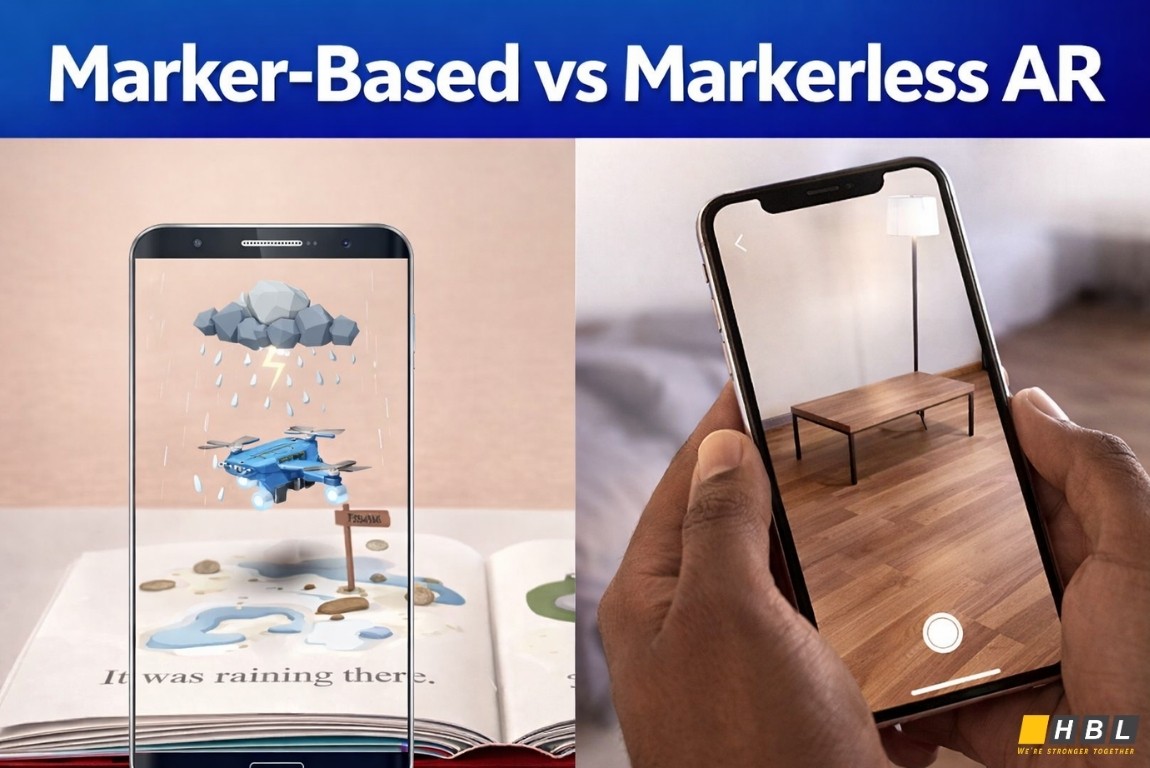
Markerless AR does not depend on a predefined image. Instead, the application uses a combination of GPS data, accelerometer readings, a digital compass, and in more advanced implementations, SLAM algorithms. SLAM stands for Simultaneous Localization and Mapping, a process through which the device builds a real-time map of its physical environment while simultaneously tracking its position within that map. Google Maps Live View, which displays directional arrows overlaid on a live street camera feed, is a widely recognized consumer example.
Location-based AR is a subset of the markerless category. Rather than detecting physical surfaces, it uses the device’s GPS coordinates to trigger AR content tied to a specific geographic point. As Lampa Dev notes in its augmented reality development guide, location-based AR is one of the earliest commercially deployed AR formats, appearing in mobile navigation tools well before facial tracking became mainstream.
Projection-based AR operates differently from all screen-based approaches. Rather than displaying digital content through a device screen, it projects digital light or imagery directly onto physical surfaces. This category requires dedicated projection hardware and is most commonly found in enterprise settings, manufacturing environments, and large-scale installation experiences.
Mixed Reality, often abbreviated as MR, combines elements of AR with elements of Virtual Reality (VR) to create experiences where digital objects can be physically interacted with in ways that go beyond simple overlay.
The AR Zone app on Samsung Galaxy devices falls primarily into the markerless and facial-tracking categories. It uses surface detection to anchor doodles and measurements to the physical environment, and facial landmark mapping to drive its avatar and emoji features.
How to Build a Mobile AR App
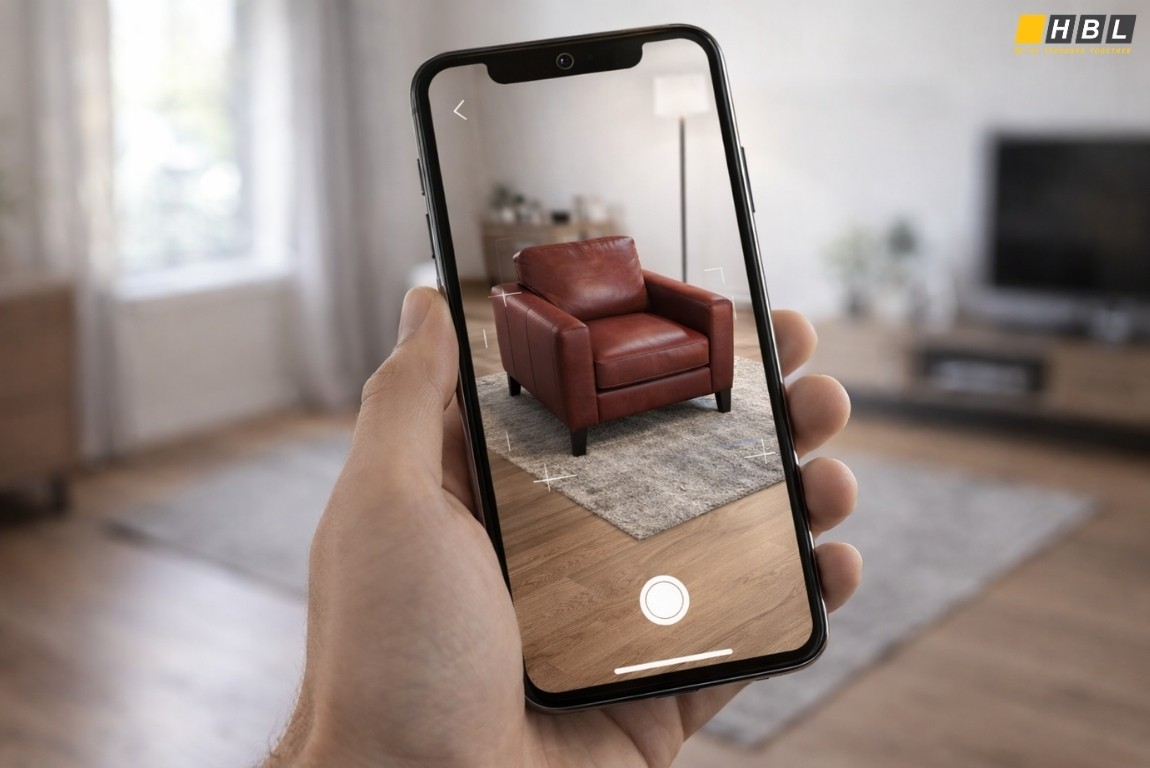
Building a mobile AR app is a structured process that moves through defined technical phases. Each phase depends on the one before it.
Step 1: Define the Use Case and AR Type
Before selecting any tools or writing any code, the developer must determine what type of AR experience the application needs to deliver. A marker-based retail app that overlays product information onto a physical label has entirely different technical requirements from a location-based navigation tool. This decision drives every subsequent choice, including which development framework to use, what device hardware to target, and what testing procedures to follow.
Step 2: Choose the Development Framework
A Software Development Kit, commonly called an SDK, is a pre-built set of programming tools that handles the complex camera, sensor, and tracking logic underlying AR functionality. Three primary options exist:
- Google ARCore (Augmented Reality Core): Google’s platform for Android AR development, operating through motion tracking, environmental understanding, and light estimation. Requires Android 7.0 or later, per Google’s official ARCore developer documentation.
- Apple ARKit: Apple’s equivalent framework for iOS and iPadOS, supporting world tracking, face tracking, and scene understanding. Requires an A9 chip or later running iOS 11 or later.
- Vuforia: A cross-platform SDK particularly well suited for marker-based AR, including simultaneous recognition of multiple physical objects and text.
Step 3: Select the Game Engine or IDE
An Integrated Development Environment, or IDE, is the software workspace where code is written, organized, and tested. Unity is the most widely used cross-platform game engine for AR development because it supports both ARCore and ARKit through its AR Foundation layer, allowing developers to write code once and deploy it to both Android and iOS. Unreal Engine is an alternative for high-fidelity 3D applications. Native development paths use Android Studio for ARCore projects and Xcode for ARKit projects.
Step 4: Build and Test a Minimum Viable Product
A Minimum Viable Product, or MVP, is a functional version of the application with only its core AR feature active. Testing at this stage focuses on:
- AR tracking accuracy
- Rendering performance (targeting a minimum of 30 frames per second)
- Surface detection reliability
- Gesture recognition response time
AR applications must be tested on physical devices. Camera functions and motion sensor inputs do not operate inside software emulators, which means all AR behavior must be validated on real hardware before moving forward.
Step 5: Backend Infrastructure and Asset Management
AR applications that serve three-dimensional models, cloud anchors, or real-time data require a supporting backend. Cloud storage solutions such as AWS S3, Firebase Storage, or Azure Blob Storage manage large-scale AR asset libraries. Real-time interactions use WebSocket connections for persistent two-way communication, or REST API calls for request-based data retrieval. API stands for Application Programming Interface, a standardized method for one software system to request and receive data from another.
Step 6: Deploy to App Stores
Google Play Store deployment follows a specific classification system:
- AR Required apps, those that cannot function without AR support, automatically prompt ARCore installation when downloaded
- AR Optional apps install on all compatible devices but activate AR features only on supported hardware
Apple’s App Store requires developers to declare ARKit device compatibility within the application’s configuration files before submission, ensuring the store routes downloads only to supported devices.
Explore our newest insights on AI
Consumer AR shows how digital layers can be placed over the physical world. For enterprises, the harder question is how immersive interfaces, AI and real-time data become part of product delivery, operations and governance. The AI Roadmap whitepaper explores that broader shift.

Frequently Asked Questions
1. What is the AR Zone app?
The AR Zone app is a native Samsung application that consolidates multiple augmented reality tools into a single interface. Preloaded on Galaxy devices running One UI 2.1 through One UI 6, it gives users access to features including AR Emoji, AR Doodle, Deco Pic, and Quick Measure. It uses the device camera and Google ARCore technology to overlay digital content onto real-world camera views in real time.
2. What is the AR Zone app on Android?
On Android, the AR Zone app is Samsung’s built-in augmented reality platform, exclusive to Galaxy devices. It runs on top of Samsung’s One UI operating layer and uses Google’s ARCore framework to enable surface detection, facial tracking, and real-time object overlay. It is not available on non-Samsung Android devices through the Google Play Store.
3. What is the AR Zone app and do I need it?
The AR Zone app provides augmented reality tools for creative content, including personalized emoji avatars, animated doodles, and a camera-based measuring tool. You need it if you actively use any of these features. If you have never used AR tools on your Samsung device, the app consumes minimal resources and can be disabled through device settings without affecting core phone functions.
4. Is the AR Zone app safe?
Yes. The AR Zone app is developed by Samsung and processes data locally on the device. Facial recognition data used for emoji creation is stored on the device rather than uploaded to external servers. Users control all permissions through device settings, and the app does not connect to third-party applications without explicit user permission.
Read more:
– Outsourced IT Services: Which Solutions Does Your Business Actually Need?
– Augmented Reality and Virtual Reality in Manufacturing: Applications and Proven Results
– AI Enterprise Solutions Failure: Why Organizations Invest More and Get Less